
Home » AKCP Blog » How Many Temperature Sensors Does a Data Center Need?
How Many Temperature Sensors Does a Data Center Need
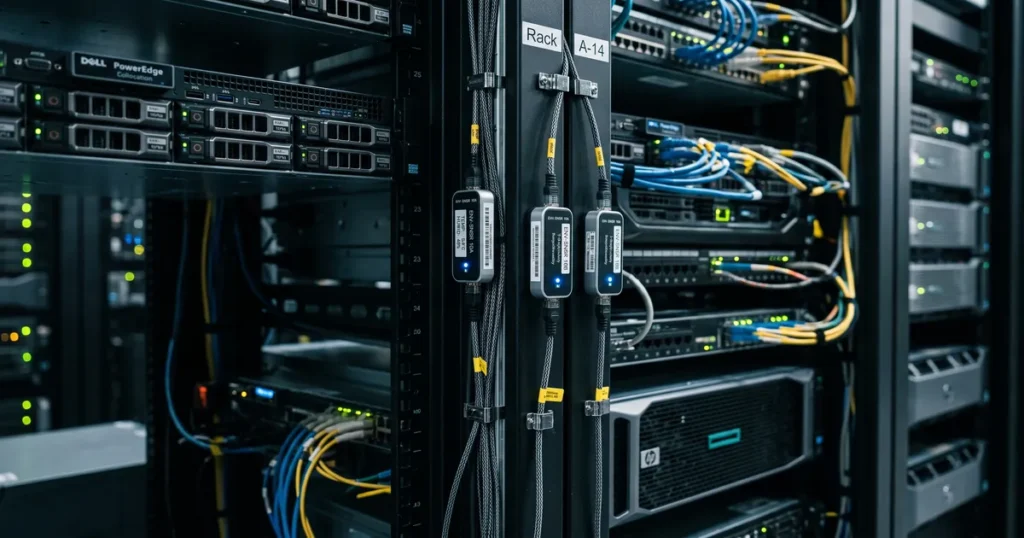
Summary: How many temperature sensors you need is less dependent on the size of your facility and more on how uneven the temperature is across it. A single sensor only measures the air touching it, so the real answer depends on the thermal gradient, not the square footage.
For racks, a good baseline is six sensors per rack, three at the front and three at the rear, which aligns with ASHRAE guidance. For open rooms, plan for roughly one temperature and humidity sensor every 25 to 50 square meters, and increase this wherever the thermal gradient becomes more extreme.
It is one of the most common questions we get asked, and it sounds like it should have a simple answer. What is the coverage area of a temperature and humidity sensor? How many do I need to cover this space? The reason it is harder to answer than it looks is worth understanding, because it changes how you monitor a facility.
Why “coverage area” is the wrong starting point
A temperature or humidity sensor only really measures the air in direct contact with it. The air a few feet to the left or right can be a completely different temperature depending on the environment around it.
The easiest way to visualize this is a single rack. Put a temperature sensor on the front and another on the rear, only a few feet apart, and they will read very differently. One is sitting in the cold intake air, the other in the hot exhaust. If a gap of a few feet across one rack produces two very different readings, you can see why a single number for a whole room tells you almost nothing.
So the real question to ask when designing a monitoring system is not “how large an area does one sensor cover.” It is “how much does the temperature change across this space, and how many sensors do I need to see those changes?” Capturing the gradient is the important thing here.
How many sensors per rack: what ASHRAE recommends
For IT racks, there are established guidelines. ASHRAE recommends measuring the cold air intake at three heights, top, middle, and bottom, because what a server draws in at the top of a rack is often not what it draws in at the bottom. Warm air rises and recirculates, and the top of a rack is frequently the first place an inlet temperature drifts out of range.
We recommend going with three sensors at the front and three at the rear, six per rack. ASHRAE further suggests placing rack sensors at least every third rack across a row, with a higher density in high risk zones. You can read the details in the ASHRAE thermal guidelines for data centers.
Inlet temperature is only half the story
Most monitoring stops at the inlet. A sensor on the front of a rack confirms the intake air is cold, and you move on. The problem is that a cold inlet reading tells you the air is cold. It tells you nothing about how much air there is, or how effectively that air is actually removing heat from the equipment.
That is what the ∆T tells you. The rise in temperature from the cold aisle intake to the hot aisle exhaust is a direct indicator of how much cooling the air is doing. A very small ∆T can mean you are pushing far more cold air than the IT load needs. This is wasted fan energy and wasted cooling capacity. A very large ∆T can mean the opposite. Not enough airflow for the heat being produced. Neither of these is seen if you only monitor the inlet.
This is why AKCP considers the rear sensors as essential rather than optional. Measuring both sides turns a temperature reading into an airflow reading, and when combined with power readings, into a full CFD thermal analysis of your data center efficiency.
Sensor coverage for open spaces: rooms and warehouses
Not every space is a data center. For an open area such as a room, a warehouse, or a general facility, a single temperature and humidity sensor realistically covers a radius of about 3 to 5 meters in reasonably uniform conditions. That is roughly 25 to 50 square meters coverage per sensor.
However, the same rule applies as in a data center. The higher the thermal gradients, the more sensors you need. If the space has a heat source in one corner, a loading door that opens to outside air, or equipment clustered on one side, the gradient across the room will be steeper, and you will want sensors closer together to see it. A large, evenly conditioned storage area might be comfortable at the wider end of that range. A room with concentrated equipment will not.
The rule of thumb: match density to the gradient
The basic rule therefore should be that the more extreme the temperature difference you expect across a space, the higher the density of sensors you need.
A tightly packed row of high density racks needs far more coverage than a lightly loaded room. If you size your sensor count from the square footage alone, you will almost always under cover the places that actually fail.
How AKCP approaches it
This is the thinking built into how AKCP monitors a facility. Not only monitoring for alerts, not an average of your facility’s performance, but real insights and data that are actionable.
With Quicklime DCIM sensor data is captured and rendered to the racks. With sensorCFD airflow and temperature gradients can be visualized. This helps you understand where and why the heat is building up. sensorCFD runs a computational fluid dynamics simulation fed by your live sensor data and produces an AI-assisted thermal report, showing airflow, per rack delta T and where cooling is being lost. It is the difference between knowing you have a hot spot and knowing what is causing it. We do not just tell you where you have a problem, we tell you how to fix it.
AKCP has built monitoring hardware since 1981 and monitors more than 200,000 facilities, and the sensor count question comes up on almost every one of them. The answer is always the same in shape. Start from the gradient, measure both sides of the rack, and add density wherever the temperature is uneven.
- About the Author
- Latest Posts

Nicholas Barrowclough( President )
For over two decades at AKCP, I have been focused on a single mission: bringing complete visibility, security, and efficiency to the world’s critical infrastructure.
I believe that in the modern data center, AI is only as good as the data it receives. My goal is to ensure facilities have the precise sensor facts needed to control AI opinions, ultimately reducing PUE, releasing stranded capacity, and ensuring maximum uptime.
- Monitoring Solutions for Edge UPS Problems in Modern Data Centers
- Data Center Power Monitoring When the Megawatts Move On-Site
- AKCP Launches IPSet Mobile App for Fast sensorProbe+ Network Configuration
- Battery Room Ventilation Requirements: The Two Compliance Paths and the Monitoring That Proves Both
- Environmental Monitoring Systems (EMS): The Complete Guide for Modern Infrastructure